
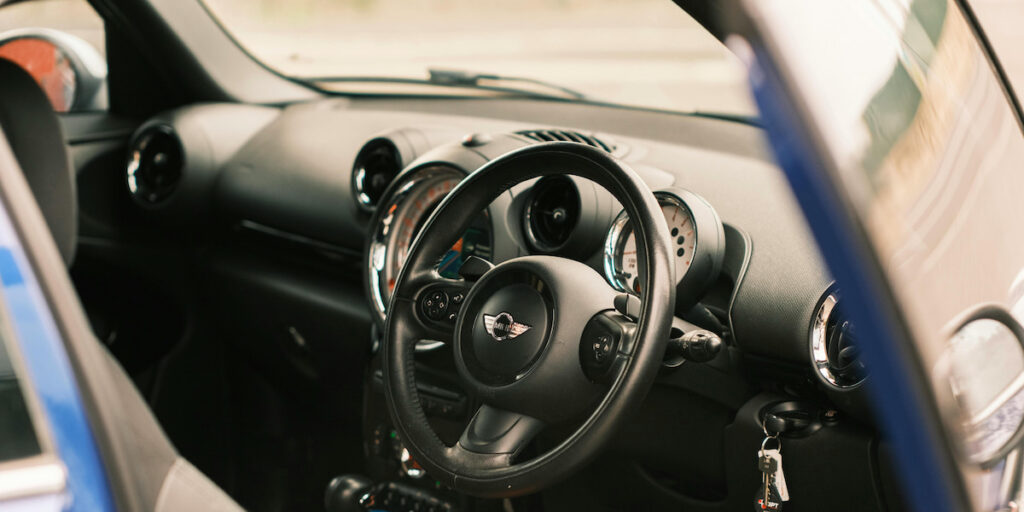
You’ve inserted your car key into the ignition, nothing seems to be visibly wrong, but your key simply won’t turn…
Stop tearing your hair out. There are several common causes, each with practical fixes. In this guide, we’ll break down the most common causes that prevent a car key from turning in your car’s ignition, and walk you through simple fixes.
Whether you’re rushing to get to work, stuck in a car park, or stranded far from home, the worst thing you can do is panic.
So don’t ignore the issue. Instead, by handling this inconvenient issue with care, you’ll avoid further damage. Try these 6 simple fixes when your key won’t turn in the ignition, and get back on the road in no time.
Most Common Reasons For The Key Not Turning in The Ignition
As professional auto locksmiths in Essex, we deal with keys not turning in the ignition on a daily basis. Below are some of the most common reasons why this might happen:
1. Steering Wheel Lock Has Engaged
The problem may not be with your ignition at all. The most common issue that prevents a key from turning in an ignition is the steering wheel lock engaging. This happens when the steering wheel is turned after the engine is shut off, putting pressure on the ignition lock.
How to fix it: Gently turn the steering wheel left and right while at the same time turning the key. Avoid forcing the key as this could break or bend it. Apply steady, light pressure, and you should be able to release the lock.
2. Gear Selector Not Fully in Park or Neutral
This frequent scenario is seen with automatic vehicles. Designed with a safety feature that prevents the key from turning unless the gear selector is fully in ‘Park’ or ‘Neutral’, automatics may not start even when the gear selector is only just out of position.
How to fix it: Move the gear selector firmly into ‘Park’, then try turning the key again. Tip: You may need to press the brake pedal while shifting between gears.
3. Worn, Bent, or Damaged Key
Over time your car key can wear down, bend, and even crack (especially when carried on heavy keychains). A worn, bent, or damaged key may no longer align with the ignition’s internal pins.
How to fix it: Try a spare key if you have one. If your spare works, ask us to cut a replacement key following the manufacturer’s code, as copying the worn key can lead to further ignition troubles.
4. Ignition Cylinder Problems (Wear, Dirt, or Debris)
The key may not be the problem. Over years of use, the ignition cylinder can wear out. Dirt, dust or debris within the cylinder can also prevent your key from lining up with the ignition and turning smoothly.
How to fix it: A graphite lubricant lightly sprayed into the ignition can remove any grime blocking the cylinder. If the problem persists our professional cleaning methods may do the trick, alternatively in more extreme cases, we’ll replace the ignition cylinder.
5. Dead or Weak Battery Affects Ignition Lock
A dead or dying battery can prevent modern electronic systems from unlocking, even when the key physically fits. When the battery is fully discharged, there may not be enough power to start the engine.
How to fix it: Start by checking the battery’s condition. If you’re unsure whether there’s an issue, try jump starting your car. If the key turns after boosting the battery, you may need a replacement.
6. Anti-Theft or Electronic Immobiliser Issues
Lots of vehicles use transponder keys and immobiliser systems to prevent theft. If your system doesn’t recognise your key, due to a faulty chip, interference, or system error, the ignition may remain locked.
How to fix it: Try using a spare key or locking and unlocking your car to reset its system. If the issue continues our expert technicians can diagnose the issue and reprogram the key and immobiliser.
Step-by-Step Troubleshooting and Quick Fixes
Try these simple methods to get your engine running without calling a locksmith.
Step 1: Release the Steering Lock
- Insert the key fully into the ignition
- Gently turn the steering wheel left and right
- At the same time, apply light pressure to turn the key
- Do not force the key, this can snap it
Step 2: Verify Park / Neutral Gear
- Make sure the gear selector is fully in ‘Park’ (automatic), or fully in ‘Neutral’ (manual)
- Press the brake pedal firmly
- Move the gear selector out of ‘Park’ and back in again
- Try turning the key
Step 3: Try a Spare Key
- If you have a spare key, try it
- If the spare key turns easily, your main key is worn or damaged
- Remember to avoid heavy key chains, as they can wear down or damage your car key
Step 4: Clean & Lubricate the Ignition
- Use a graphite-based lubricant (not oil, or WD-40)
- Insert the nozzle into the ignition slot briefly
- Insert and remove the key a few times to spread the lubricant
- Try turning the key again
Step 5: Check Battery Condition
- Look for the signs of a weak battery – dim lights, clicking sounds, no dashboard lights
- Try jump-starting the vehicle
- If the key turns after a jump, the battery may need replacing
Step 6: Wiggle the Key Gently
- Insert the key and gently wiggle it up and down
- Apply light pressure and turn while wiggling
- This may help the worn ignition pins align temporarily
Step 7: Warm the Key in Cold Weather
- In icy temperatures, gently warm the key in your hands
- Avoid open flames and extreme heat
- Cold metal can contract and affect worn ignitions
Step 8: Know When to Stop
- If the key still won’t turn, stop trying
- Forcing the key can break it, or damage the ignition cylinder
- Contact us, our expert auto locksmiths will diagnose your ignition problem and get you back on the road

When to Call a Professional
While many ignition problems can be solved with quick, simple fixes, there are times when calling a professional is the most cost-effective option.
Get in touch with us if you notice any of the following:
- The key still won’t turn after troubleshooting
- The key is stuck, partially turns, or feels loose
- The key is bent, cracked, or feels like it might break
- The ignition works intermittently
- Anti-theft or immobiliser lights stay on
- The battery works, but the ignition is still locked
- The steering wheel remains locked
- Your vehicle uses a push key or smart-key system
Contact us about your ignition issue and we’ll be with you in 30 minutes or less. Our services are here whenever you need them.
Frequently Asked Questions
Should I try WD-40 on a stuck key?
We do not recommend the use of WD-40 for ignition locks. Using it may temporarily unstick a key, but it attracts dirt and dust which can make the problem worse over time and damage the ignition cylinder.
Is it okay to spray WD40 in the ignition?
Ignitions require dry lubrication, not oil-based products. WD-40 can leave residue which gums up the ignition’s internal pins. Use a graphite-based lubricant designed for ignitions.
Can I force the key to turn?
No, forcing the key can: bend or snap the key, damage the ignition cylinder, lead to costly steering column repairs.
What if the key turns but the car won’t start?
When the key turns, but the engine doesn’t start, the issue is not the ignition lock. You could be dealing with a weak or dead battery, faulty starter motor, fuel or ignition problems, or anti-theft systems blocking the ignition.
Is this covered by car warranty or insurance?
Factory warranties may cover ignition or steering lock defects, especially in newer vehicles. Extended warranties cover ignition components, but vary between providers. Insurance doesn’t typically cover manual wear and tear, but often damage or vandalism is covered.
Does this affect keyless start vehicles?
Yes, keyless and push-button start cars can be affected, but issues stem from electronic rather than mechanical problems.
You may be dealing with a weak key fob battery, immobiliser or sensor faults, or the steering lock or brake pedal not being detected.
Many keyless systems have a backup start method, such as holding the fob near the start button—check your user manual for details.
